
PageFocus Draw9.16 - Download
You'll be able to download in few seconds.
Publisher Description
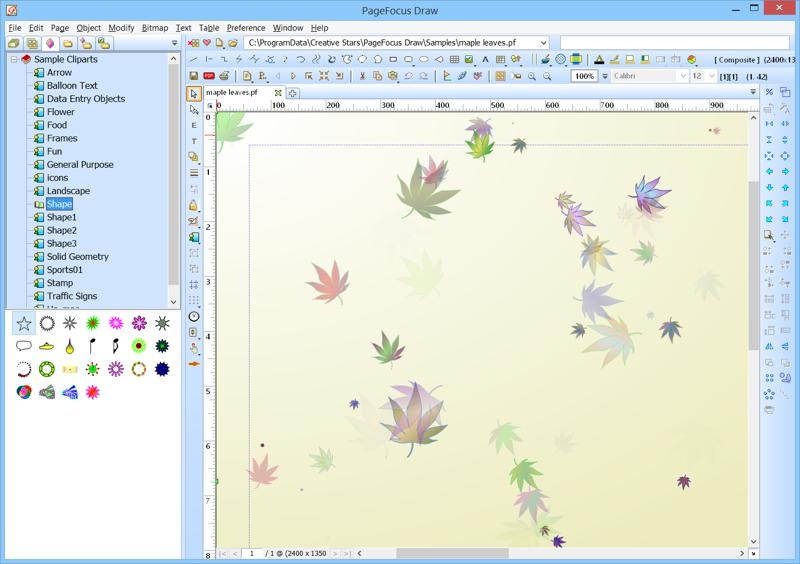
Graphic Design and Mini-Office In One: Create drawings, letters, documents, newsletters, brochures, flyers, business/ID cards, video snapshots, forms and graphic patterns. Scan and edit a document. Turn photo into drawings or paintings. Open, edit and create PDFs. Design and build web pages. Create a slideshow presentation. Easy to make custom label templates or work on Avery labels. Create multi-column, curved and 3D text. WYSIWYG. Include library and project management for managing your documents. Integrate with Cam-Video capture and Video Playback for image captured and snapshots. Supports multi-page document, spell-check, vector drawing, import and export photo and PDF files, image annotation, spreadsheet and tables. It is easy to share PageFocus files using free PageFocus Reader.
This is an easy-to-use, yet powerful drawing, vector graphics, webpage builder, label maker, PDF creator and desktop publishing program. Suppport multi-language spell-checks, including American English, British English, Dutch, Finnish, French, German, Italian, Spanish, and Swedish. New Win8 version supports touchscreen desktop PCs and tablets. Best Windows software for all your needs.
About PageFocus Draw
This Editors program is available in English. It was last updated on 29 September, 2026. PageFocus Draw is compatible with the following operating systems: Windows.
The company that develops PageFocus Draw is Creative Stars, Inc.. The latest version released by its developer is 9.16.
The download we have available for PageFocus Draw has a file size of 13.6 MB. Just click the green Download button above to start the downloading process. The program is listed on our website since 2015-04-18 and was downloaded 0 times. We have already checked if the download link is safe, however for your own protection we recommend that you scan the downloaded software with your antivirus. Your antivirus may detect the PageFocus Draw as malware if the download link is broken.
How to install PageFocus Draw on your Windows device:
- Click on the Download button on our website. This will start the download from the website of the developer.
- Once the PageFocus Draw is downloaded click on it to start the setup process (assuming you are on a desktop computer).
- When the installation is finished you should be able to see and run the program.
Program Details
System requirements
Download information
Pricing
Version History
version 9.16
posted on 2015-04-18
Support for Win8 touch/pen interface.
Create web pages.
Create Video Catcher, Video Player. Take Snapshot.
Passed Microsoft Windows Desktop App Certification.
Disclaimer
External Download
We do not host PageFocus Draw on our servers. We did not scan it for viruses, adware, spyware or other type of malware. This app is hosted by the software publisher and passed their terms and conditions to be listed there. We recommend caution when installing it.
The external download link for PageFocus Draw is provided to you by apps112.com without any warranties, representations or guarantees of any kind, so access it at your own risk.
If you have questions regarding this particular app contact the publisher directly. For questions about the functionalities of apps112.com contact us.
